Bespoke and managed by 38South Digital · Melbourne
Your AI assistant can only see one of your mailboxes.
Claude, ChatGPT and Copilot each authorise a single mail account. If your morning is spread across a trading name, a legacy company, accounts@, and the address clients still use, they give you a confident report on a fraction of it.
Helm mirrors every mailbox you have — any provider, any domain, no limit. The machine this was built on syncs six, every five minutes.
Six mailboxes. One morning.
Connectors don't aggregate. You authorise one account, and everything downstream is a confident report on a fraction of your mail.
Helm holds as many mailboxes as you've got, each with its own host and its own login — Zoho, Google Workspace, the cPanel account nobody wants to migrate. They arrive in one list and one search. Ask "what did the supplier say about the March order" once, and it looks through all of them.
Every message is sorted on arrival: a person, a newsletter, an automated notice, a receipt. So "the mail that matters" is a filter, not a hope.
Turn five of these off. That's the connector. Below is one morning across six mailboxes — switch the others off and watch what your assistant would have been briefing you on.
6 of 6 mailboxes · briefed once, in one page
Thursday 28 August · 07:12 · six mailboxes
- Today — 2 appointments, first at 10:00. 9 to do · 3 due today · 1 overdue.
Waiting on
- · — quote for the fit-out. Nine days open.
- · — signed variation. Cleared itself: they replied 6:41am.
The mail that matters — 4 of 213 overnight
- · (Legacy Pty Ltd) — reschedules Friday, wants an answer today
- · (Accounts) — remittance short by one invoice
- · (Trading co.) — new enquiry, no reply yet
- · (Support) — supplier confirming the March order
- Coming up — insurance renewal, 11 days.
Trading co. · Legacy Pty Ltd · Support · Personal · Studio · Accounts — all six synced 07:10
The five you switched off didn't go quiet. You just stopped being told.
Format is real; the names and figures here are a sample. Two things worth noticing. It aged the waiting-on item — nine days — rather than just listing it. And the second one closed itself, because the person replied and Helm matched the reply to the item; nobody ticked anything off.
Helm syncs every connected mailbox every five minutes — any provider, any domain, no per-provider ceiling. If you have one address on Google or Microsoft, connect Claude directly and keep your money. This page isn't for you.
"Cannot" is a strange word to use in marketing. Here's why we can use it.
Other assistants are told not to send. That's a sentence in a prompt, and a sentence can be argued with — by a clever email, a bad day, or a model update.
Helm has no send path. Not disabled: absent. Here is the search, on the machine that runs it.
No result. Every mail-sending library there is — none of them are declared as a dependency of Helm.
No result. Not imported anywhere, not behind a flag, not in a script.
No result. There is no HTTP route to sending either.
One library that talks IMAP, one that parses what comes back. There is no third one, because sending needs a third one.
And so it stays that way: tests/email/no-send-path.test.ts fails if anyone adds a mailer, imports one, or points the draft path at anything that could transmit. Not a rule someone has to remember — a test that runs on every change before it can merge, so adding a mailer becomes a diff somebody has to argue for.
What you actually do with a reply. Helm reads, and it writes the reply. It writes exactly one kind of thing to your mailbox: a draft, appended to your Drafts folder over IMAP, threaded into the original conversation. IMAP has no verb that transmits mail — that is a different protocol Helm has no client for. So the reply lands in your Drafts folder, in the right thread, in whatever mail app you already use. You read it and press send. Helm cannot press send — that is the whole point, and it costs you one click.
The same rule everywhere else. Accounting is read-only: Xero is authorised with read permission only — Helm can tell you who's overdue; it cannot touch a ledger, and it does not do your accounting. MYOB and Ordermentum are read-only too. Helm writes in exactly three places: your calendar (it creates, moves and cancels events — a diary you can't book into isn't a diary), your notes folder, and a draft in your Drafts folder. Everything it writes, anywhere, is recorded in an activity log, per access token, that you can open.
What this is not. It is not a claim that your data never leaves. Whatever your assistant reads goes to the model that reads it, exactly as it does with any assistant, including the one you're already using. What we can tell you is narrower and checkable: your own server, your own data, and no code path that puts mail on the wire.
A policy is a sentence. This is a property.
A chat window is a bad place to keep a business.
Scrollback is not a system of record. You can't glance at it, and you can't tick anything off it.
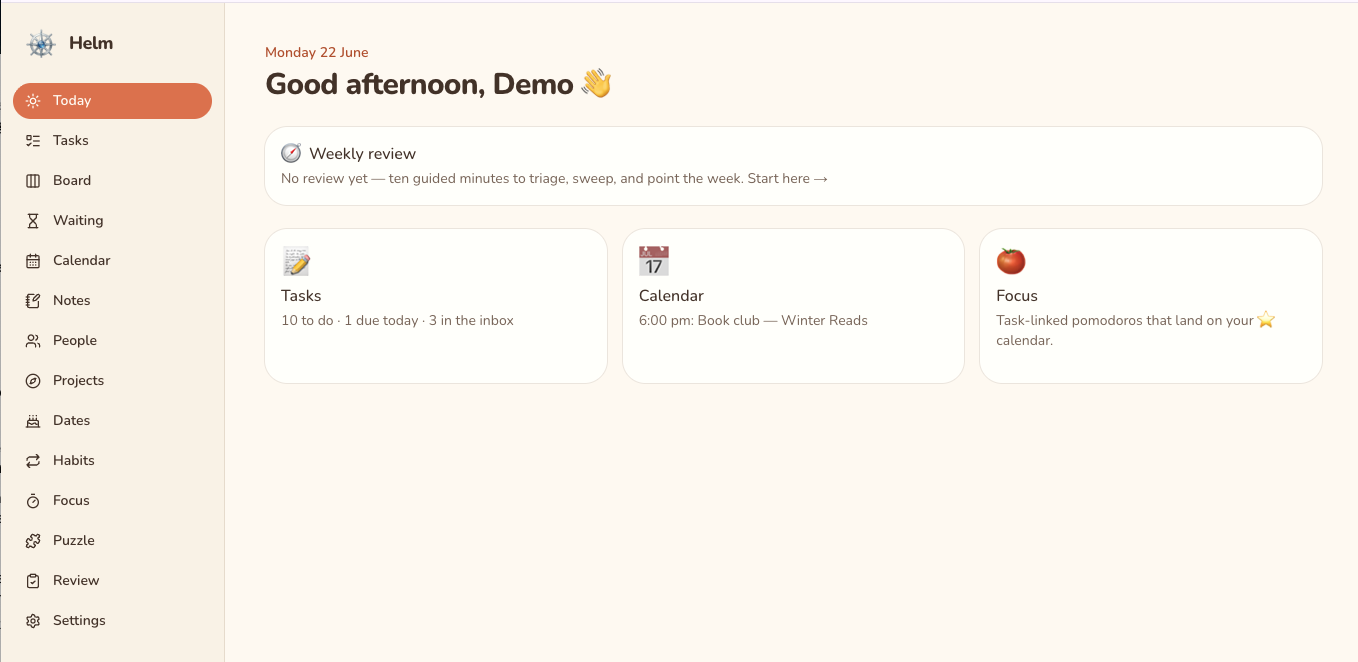
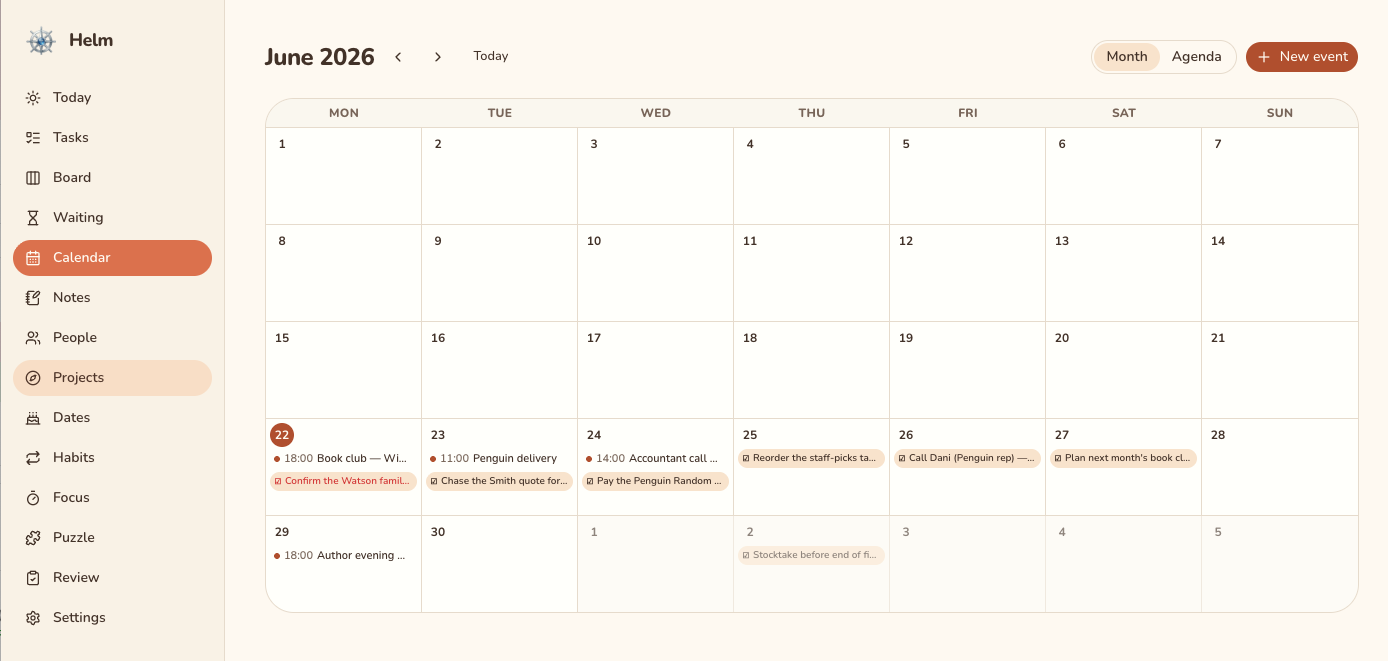
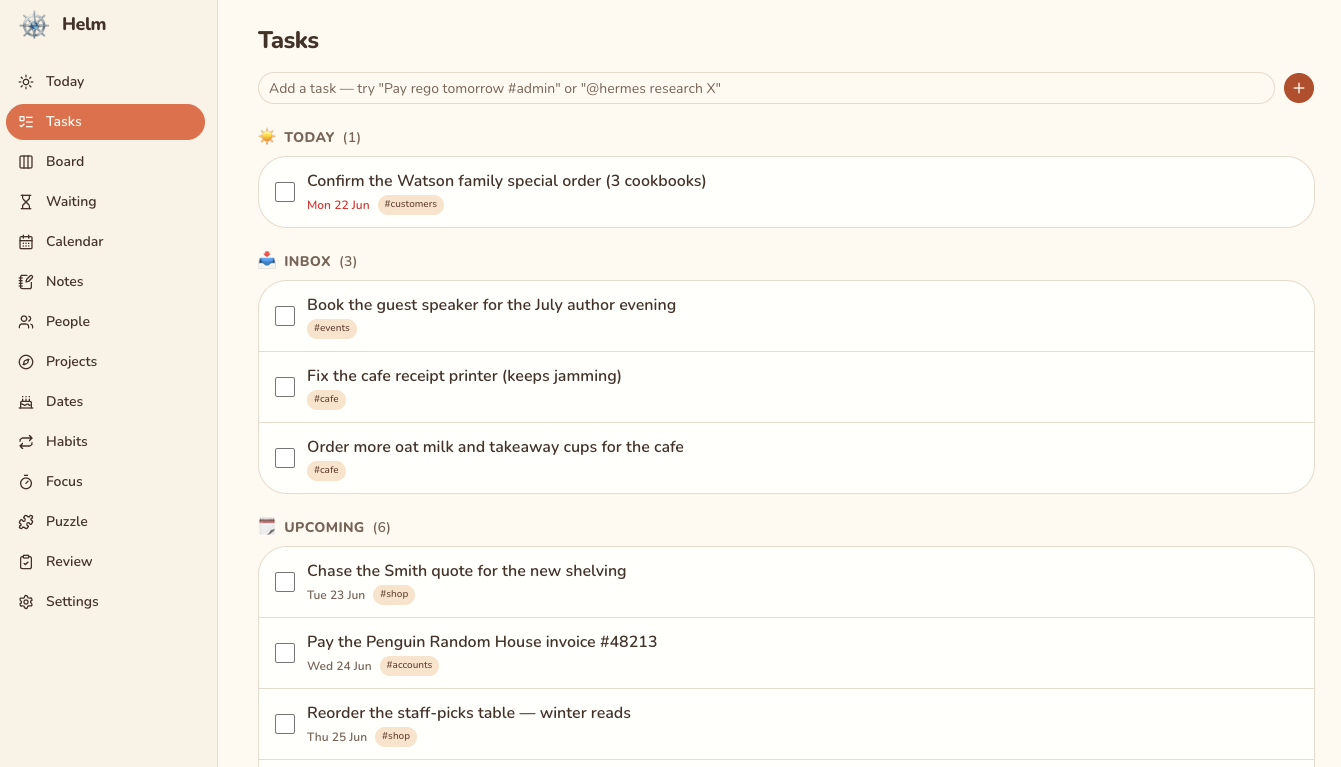
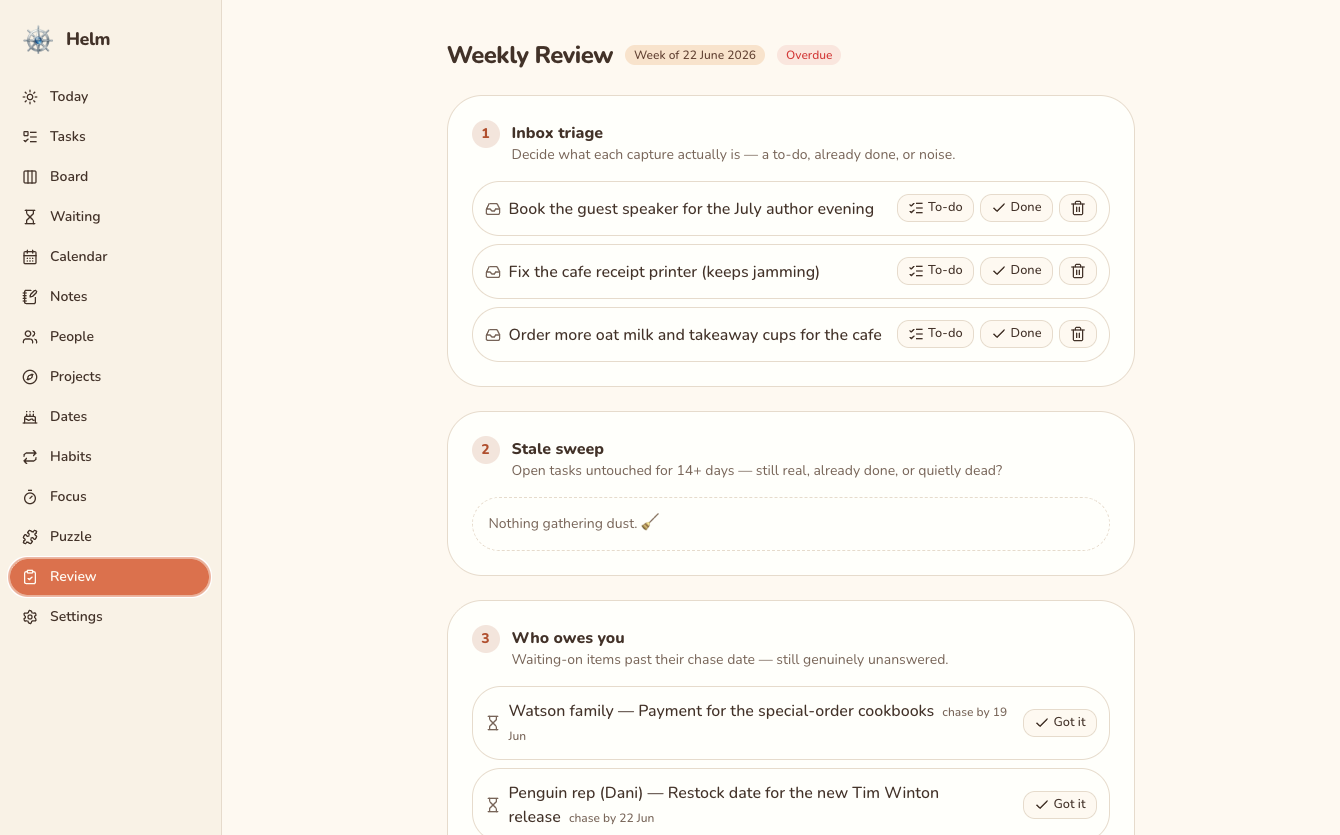
Helm gives you screens instead — Today, Tasks, Board, Waiting, Calendar, People, Projects, Notes, Reference, Dates, Habits, Focus, Review. Open it on the laptop or the phone. Click things. Mark them done.
Waiting-on is the one to watch. Log that you're owed a quote, and Helm closes it out by itself when that person actually replies — matched by message ID after each mail sync, not by you remembering to check. That is the one thing on this page a to-do list cannot do for you.
Notes are plain Markdown files in a folder on your own machine, so they open in Obsidian, a text editor, or nothing at all.
Helm is not for you if…
- You have one email address, on Google or Microsoft. Connect Claude directly. It'll do most of this, it costs less, and it gets better every month without an invoice from us. This is the common case, and we'd rather say so here than on the call.
- You want it to send email for you. It structurally can't — it can only leave a draft in your Drafts folder — and we won't add it. If you want an assistant that hits send, buy one that does.
- You want your books done. Xero and QuickBooks do that, and their own AI connectors are free. Helm reads them; it reconciles nothing.
- You want to sign up online tonight. There's no signup. It's built for your business, on a server that's yours, and we run it. That takes a conversation.
- You want a big vendor. 38South Digital is small. Read the next section before you decide that's fine.
What it can actually touch
Your assistant can do all the things assistants do — research, write, work a problem through with you. But when it reaches into Helm — your mail, tasks, calendar, notes, the business's record — it goes through a fixed set of deliberate actions, and that's the whole surface.
Email: list, read, thread, search across every account, turn into a task, snooze, save a draft. Tasks, calendar, notes, decisions, people, projects, waiting-on, important dates. Read-only Xero and MYOB. An activity log of every write it made, per token. Memory it has to ask permission for.
Nothing on that list sends an email or spends money. The only thing it can remove is a calendar event it can also create — and every write it makes is in the activity log. Most of the rest is table stakes. It is on this page so you can see the edges, not because it's the reason to buy.
Yours — and what you keep if you leave
Every client runs their own dedicated, isolated instance of Helm, on a server that's theirs. Nothing is pooled with another client. 38South Digital administers the box; that means we have access to it in order to run it, which is what "managed" means, and you should assume it rather than take a promise about it.
Your notes are Markdown files in a folder. Your data is a single database file. Both are backed up nightly to a location you choose. There is no proprietary format anywhere in it.
Helm connects to your Google Calendar with your permission to show and manage your schedule, and mirrors your email over IMAP — reading it, and appending drafts you send yourself. We never sell your data, never use it for advertising, and never use it to train AI models. Our use of information received from Google APIs adheres to the Google API Services User Data Policy, including the Limited Use requirements. See our Privacy Policy.
Bring your worst inbox to the call.
Twenty minutes. Tell us how many mailboxes you're actually carrying, and which follow-up went missing last month. If Claude on its own is the right answer for you, we'll say so on the call — that's most people, and it's a shorter conversation than the alternative.
Prefer email? support@38south.digital